





Last updated
-
in Tools
-
Hits: 30667
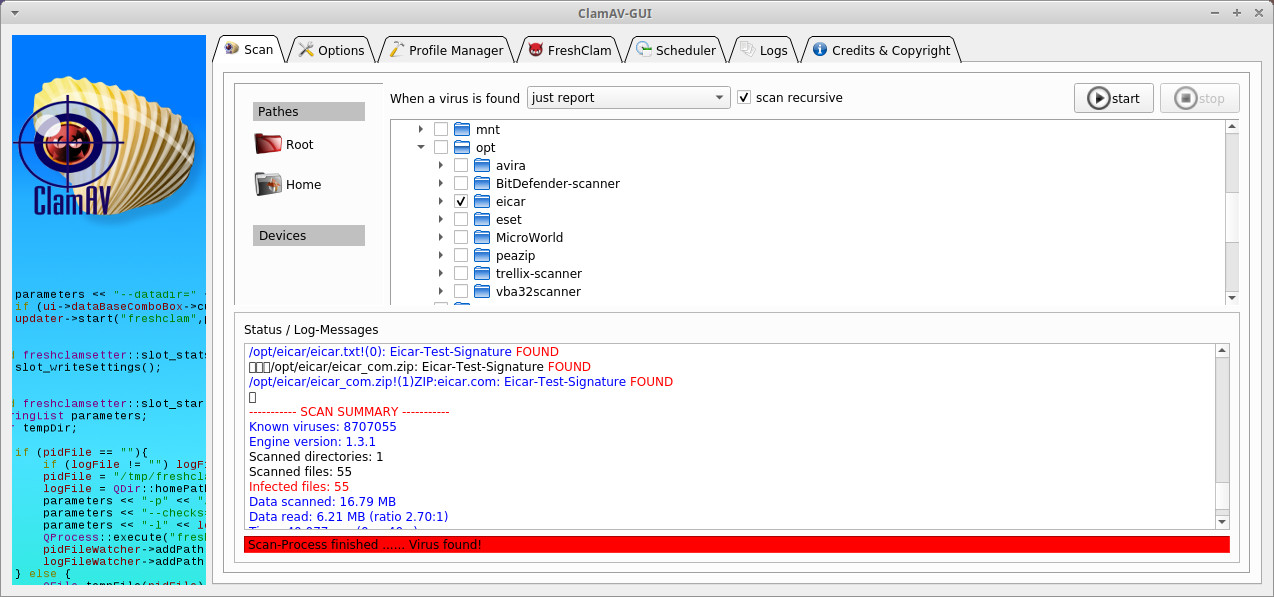 ClamAV-GUI is a user-friendly graphical interface for ClamAV (Clam Antivirus). It is designed to be an easy-to-use, lightweight on-demand scanner for Linux systems.
ClamAV® is an open-source antivirus engine for detecting trojans, viruses, malware & other malicious threats.
Features ClamAV:
-
in Network
-
Hits: 564
 Connect to any computer remotely at the speed of light. NX technology makes NoMachine the fastest and best remote access solution available. Access your computer on the other side of the world with just a few clicks. Access your desktop wherever it is, from any device, and share your desktop with others. NoMachine is now your private, secure server.
-
in Network
-
Hits: 4386
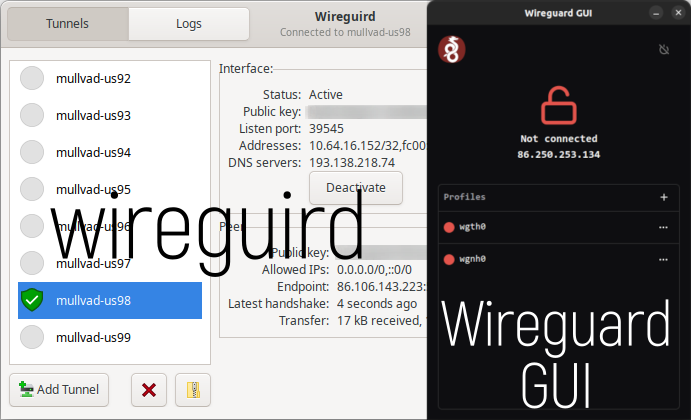 Wireguard GUI is a Linux application that allows you to manage your Wireguard VPN configuration.
Features:
- The system tray icon turns red when connected and black when disconnected.
- Looks the same and does almost the same as the official Wireguard GUI client for Windows.
- Add/Edit/Delete a profile
- Start/Stop a profile
-
in System utilities
-
Hits: 1991
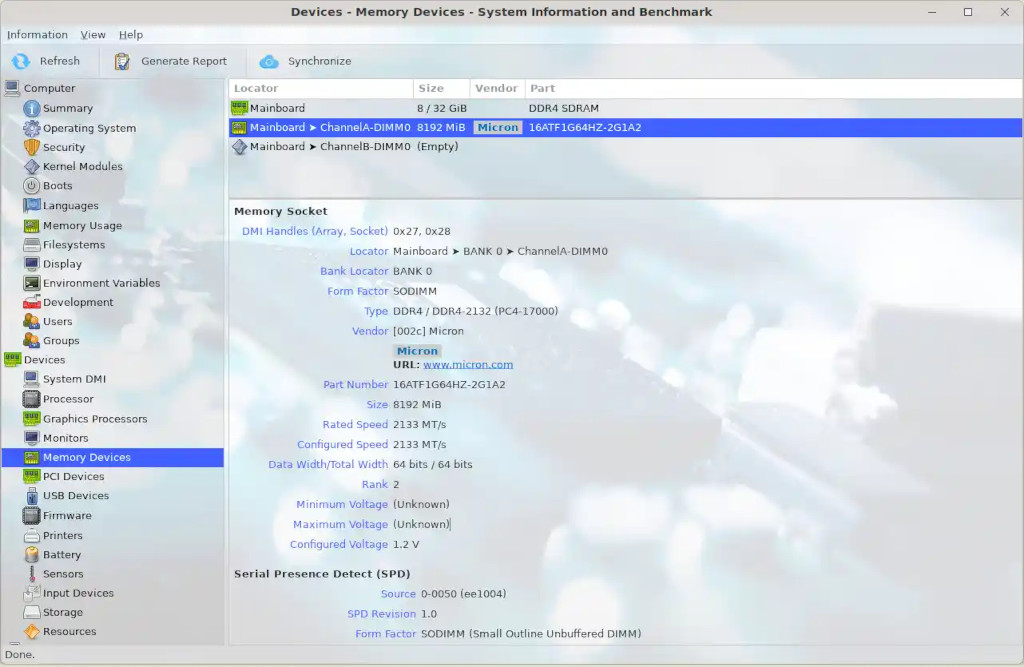 HardInfo - displays information in a convenient graphical interface about the hardware and operating system, with the ability to test speed and performance.
Currently detects most software and hardware detected by the OS.
Features:
-
in Standard
-
Hits: 2494
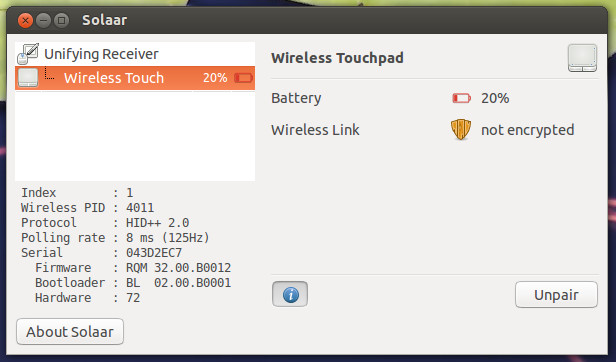 Solaar allows you to manage devices connected to the Unifying/Bolt/Lightspeed/Nano Receiver, as well as perform additional settings on equipment that supports this (for example, set the Fn key mechanism, smooth scrolling or DPI).
-
in Tools
-
Hits: 180
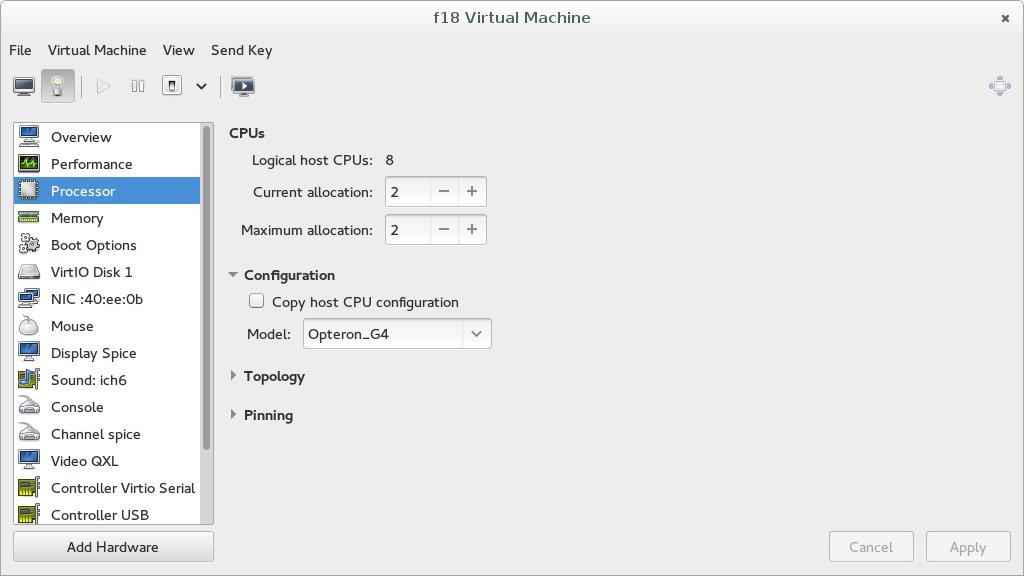 Virt-Manager is a desktop user interface for managing virtual machines, primarily focused on KVM/QEMU virtual machines, but can also manage XEN and LXC Linux container virtual machines.
It provides a summary of running domains, their real-time performance, and resource usage statistics. Wizards allow you to create new domains, as well as configure and adjust domain resource allocation and virtual hardware. A built-in VNC and SPICE client provides a fully functional graphical console for guest domains.
.
-
in Tools
-
Hits: 3264
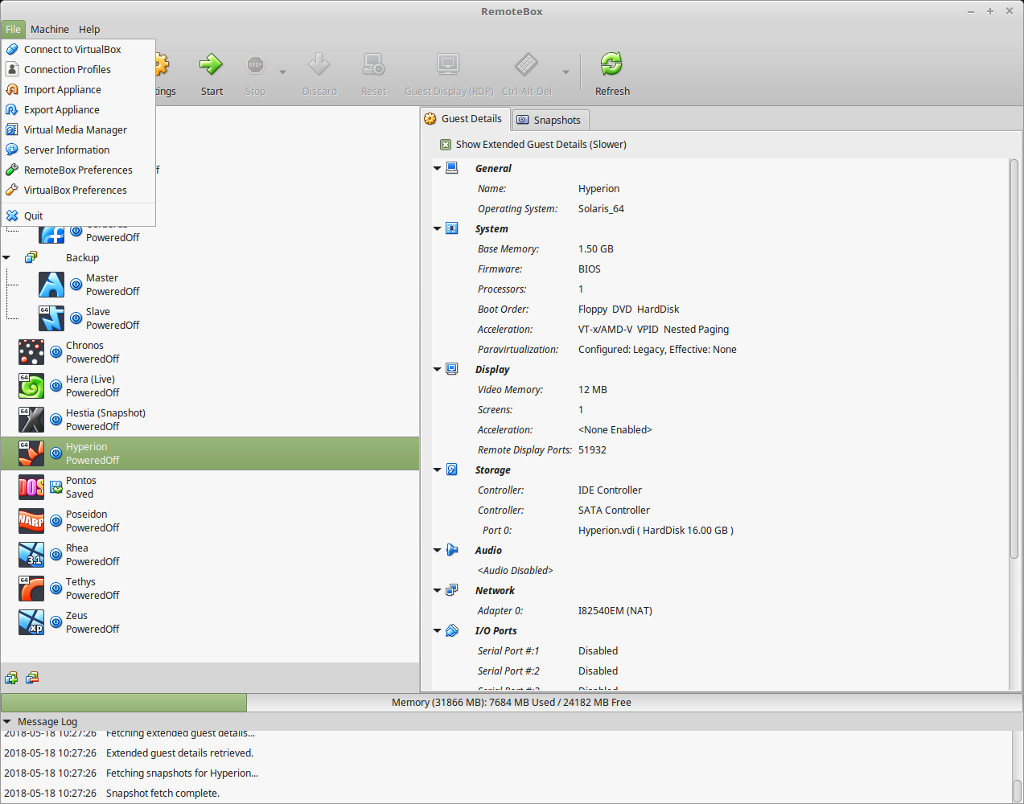 RemoteBox is a graphical utility that allows you to administer virtual machines running in VirtualBox over a network, either on a remote server or on a local machine. This allows you to remotely administer a server running VirtualBox and interact with the virtual machines as if they were running locally.
VirtualBox is installed on the "server" machine, and RemoteBox runs on the "client" machine. RemoteBox provides a full GTK graphical interface with a look and feel very similar to the built-in VirtualBox GUI.
-
in System utilities
-
Hits: 1317
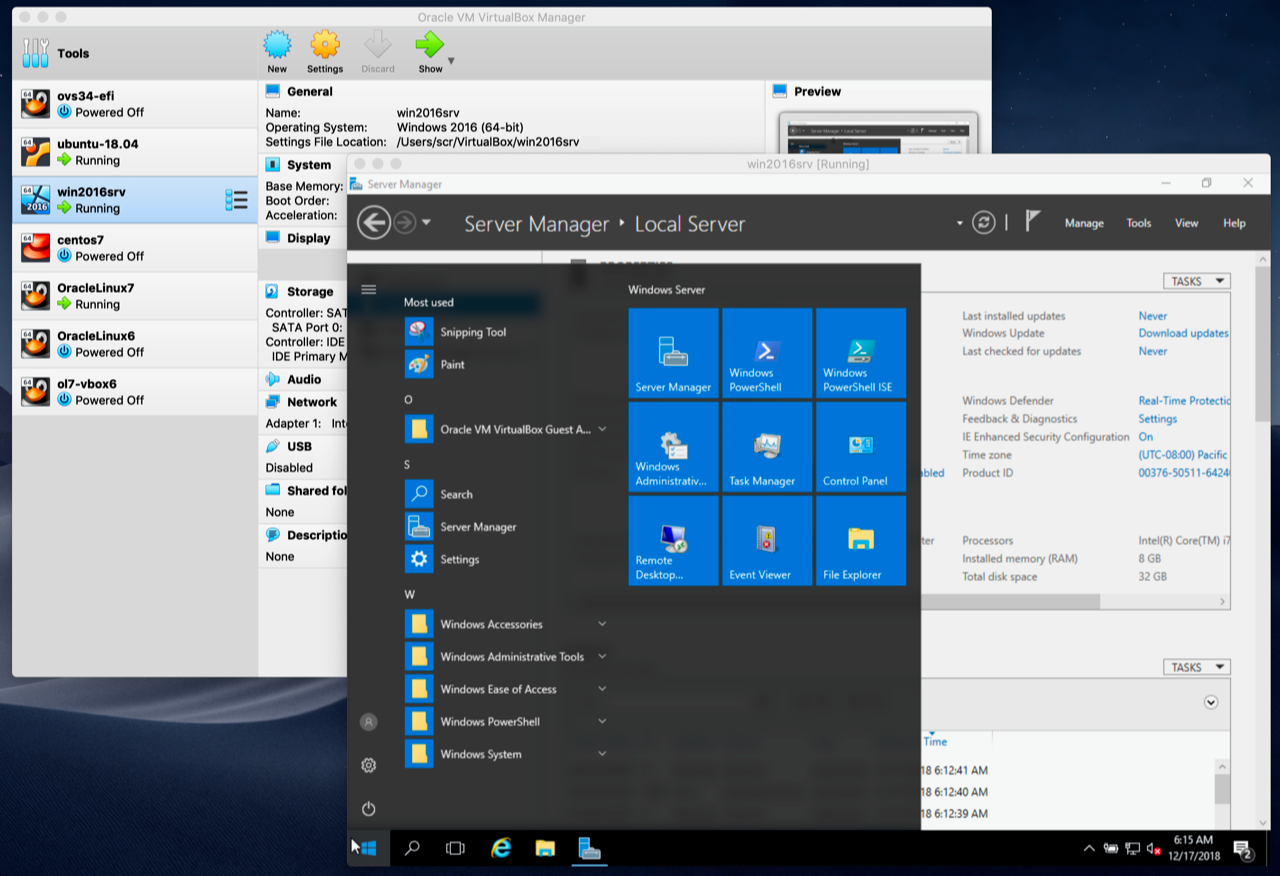 Oracle VM VirtualBox is a software product that is a powerful virtualization solution and allows you to run a wide range of operating systems such as Microsoft Windows, Linux, FreeBSD, Mac OS X, Solaris / OpenSolaris, ReactOS, DOS and others on your system.
It comes with a wide range of features and shows excellent performance, making it a premium software in the virtualization solutions market.
-
in Network
-
Hits: 840
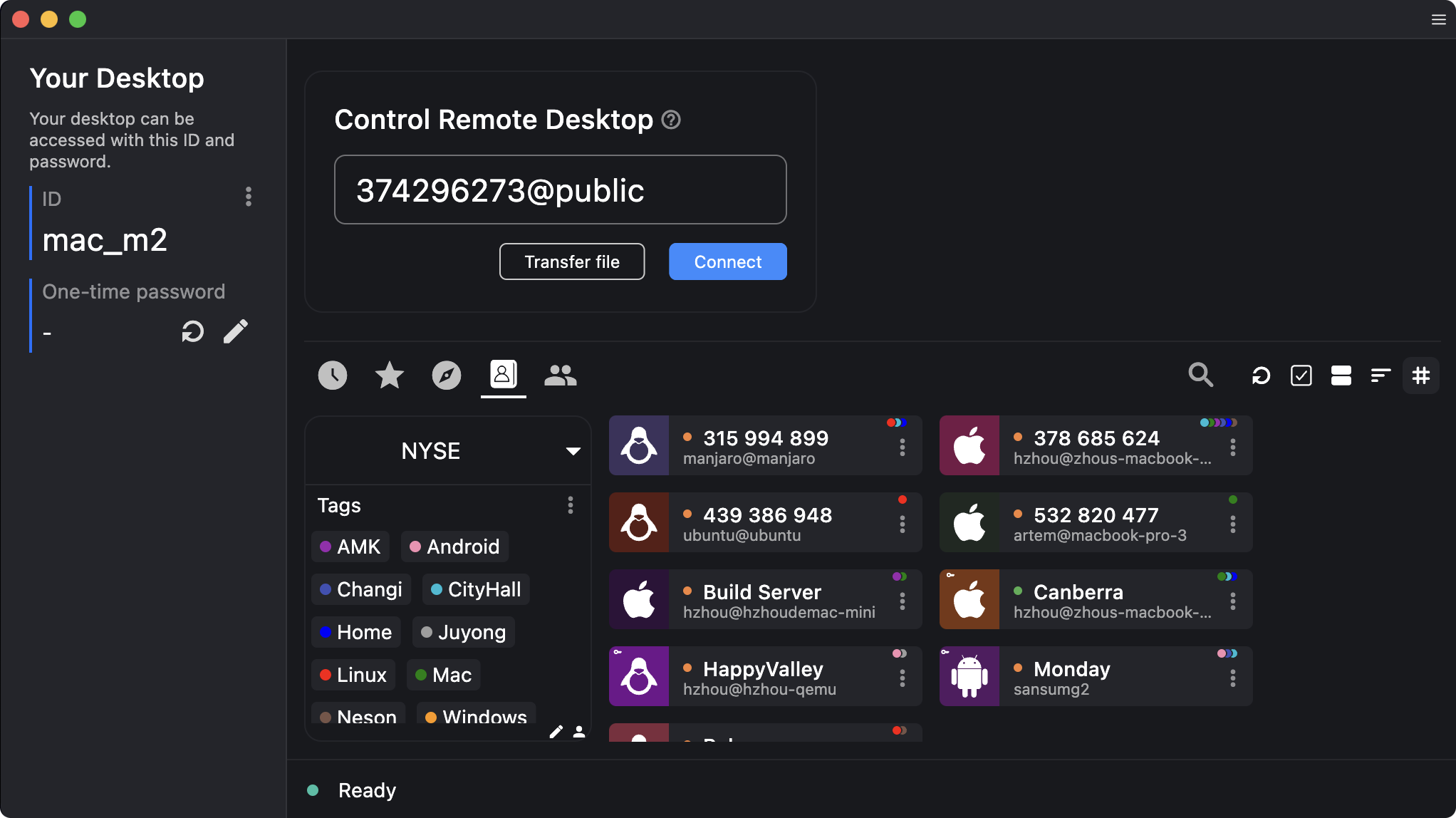 RustDesk - remote access to another computer's desktop from anywhere in the world, will allow you to control it as if you were sitting right in front of it. This is a direct analog of such programs as TeamViewer, AnyDesk and Splashtop.
This is a powerful and flexible remote control tool that combines simplicity, security and customization.
The main advantage is the ability to deploy your own remote access server for secure and reliable remote desktop connection due to the lack of connection to third-party servers.
Main functions and purpose:
-
in Administration
-
Hits: 2305
 The utility removes cache, internet history, temporary files, cookies and other unnecessary files and frees up disk space.
It can also ensure privacy is maintained by removing unwanted information and deep cleaning.
Processes and cleans temporary files of Adobe Reader, Bash, Beagle, Firefox, Flash, GIMP, Google Earth, Java, KDE, LibreOffice.org, Opera, RealPlayer, rpmbuild, Second Life Viewer, VIM, XChat, and many more.
Page 1 of 100
LLC UALinux
Contact us at: Viber - WhatsApp - Telegram
E-Mail: [email protected]
Call: +380 (97) 33-55-1-88
Working hours: Mon–Fri, 10 a.m. to 5 p.m. (GMT+2)
Join our communities: 

